Desk setup guide

Seven fixes that take your desk cables from tangle to tidy

No drilling, no rewiring, no adhesive that peels the veneer off your desk. Just five small changes, in the order that actually works.

7 Fixes Under 30 minutes Renter-friendly

Heads up: the product links on this page are affiliate links. If you buy through one, Ratrendyshop earns a small commission - at no extra cost to you. We only list things we would put on our own desk.

Cable mess is rarely one big problem. It is five small ones stacked on top of each other: too many chargers, nothing holding a cable when you unplug it, a laptop sitting flat so every port faces sideways, and a desk surface with no visual floor to it.

Fix them in this order. Each step makes the next one easier, and you can stop after any of them and still have a calmer desk than you started with.

01

Stop cables falling behind the desk

This is the first fix because it is the one you notice every single day. You unplug your phone, the cable slides off the edge, and now you are on your knees fishing it out from behind the desk.

Magnetic clips sit at the desk edge and hold the cable end in place when it is not plugged in. Two or three is usually enough - one for the phone cable, one for the laptop charger, one spare for headphones.

Why start here: it costs the least, takes two minutes, and removes the most repeated annoyance. Everything after this is optional in a way that this is not.

Magnetic clips holding cable ends at the edge of a desk

Stop fishing cables out from behind your desk

Stop cables falling behind the desk.

Check current price
02

Replace four chargers with one hub

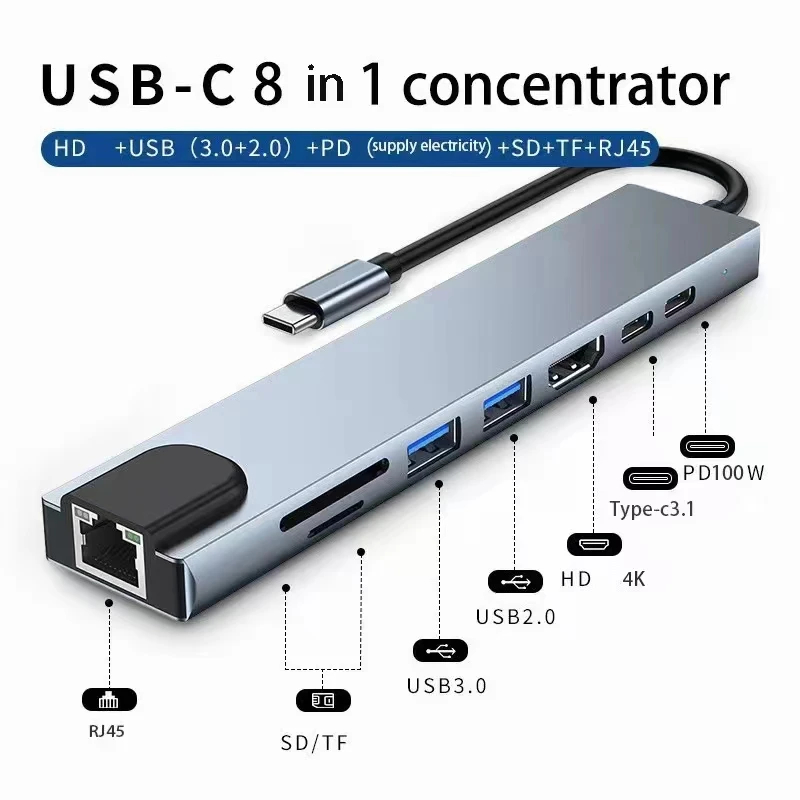
Count the cables running to your laptop right now. Most people have a charger, a monitor cable, a dongle for the SD card, and something for the external drive - four cables, four times the mess, and a laptop that has to be plugged in four times every time you move it.

A single hub collapses that into one connection. Unplug once, take the laptop to the kitchen table, plug back in once.

Why it matters more than it looks: the number of cables you have is less important than the number of times you have to touch them. One hub turns four daily actions into one.
An 8-in-1 USB-C hub with multiple ports

Turn four cables into one

Replace four chargers with one hub.

Check current price
03

Give the phone a place that isn't the desk

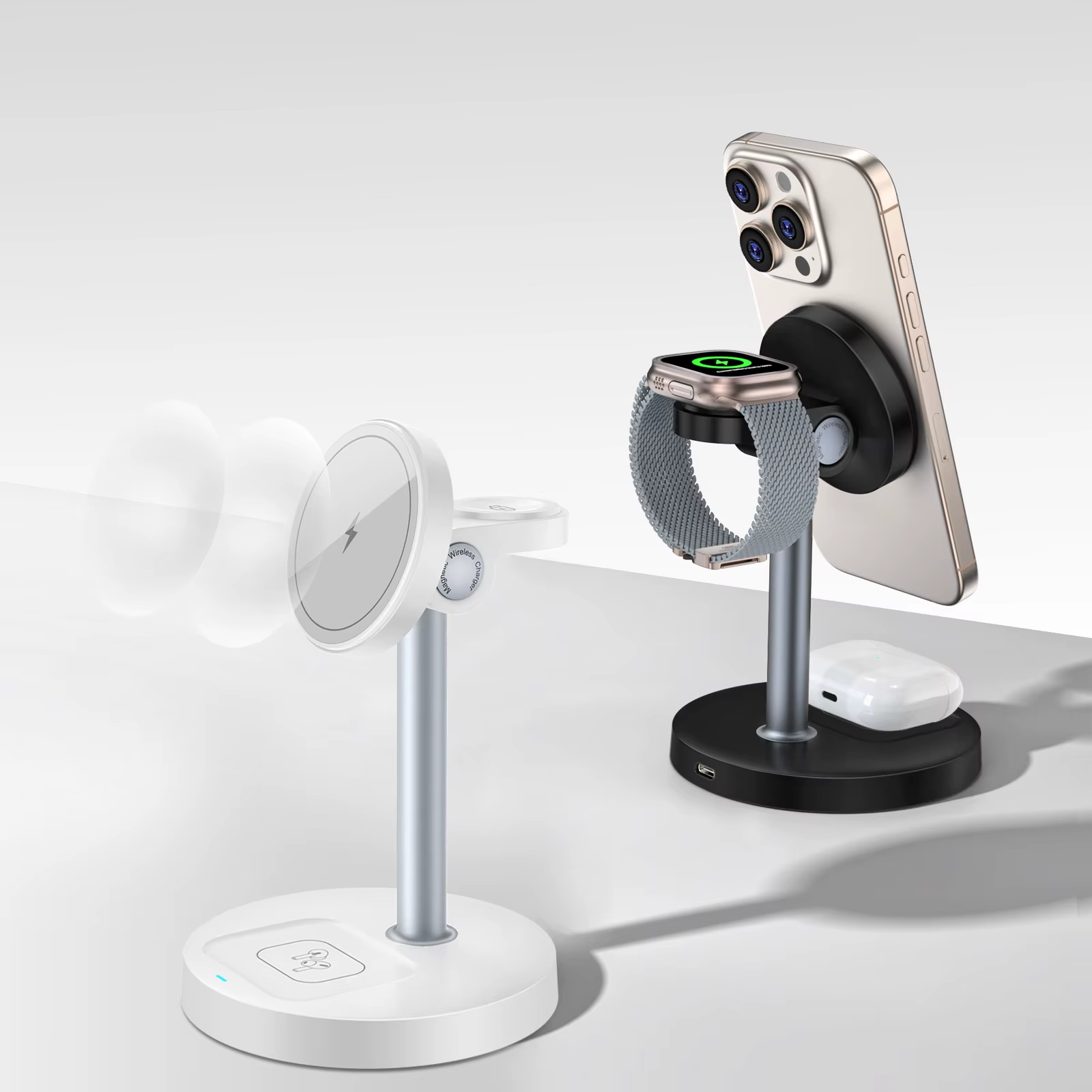
A phone lying flat on the desk drags a cable across the whole surface. A phone standing upright on a dock uses no visible cable at all, and it is easier to glance at without picking it up.

A three-in-one stand takes the watch and earbuds with it, which removes two more cables you probably have not counted.

Compounding fix: this is the step that quietly removes three cables while looking like it removes one.
A 3-in-1 wireless charging stand holding a phone, watch and earbuds

Give your phone a home that isn't your desk

Give the phone a place that isn't the desk.

Check current price
04

Lift the laptop so the ports face you

A laptop sitting flat forces every cable to exit sideways and then bend, which is both ugly and hard on the connectors. Raising it changes the geometry: cables drop down and back instead of splaying out across the desk.

The riser also opens up a gap underneath, which is where the hub goes. Two problems, one object.

Bonus you did not ask for: the screen comes up to eye level, which is the single cheapest thing you can do for your neck.
An aluminium laptop stand raising a laptop off the desk

Desk cable management starts with the laptop

Lift the laptop so the ports face you.

Check current price
05

Draw a line under the whole thing

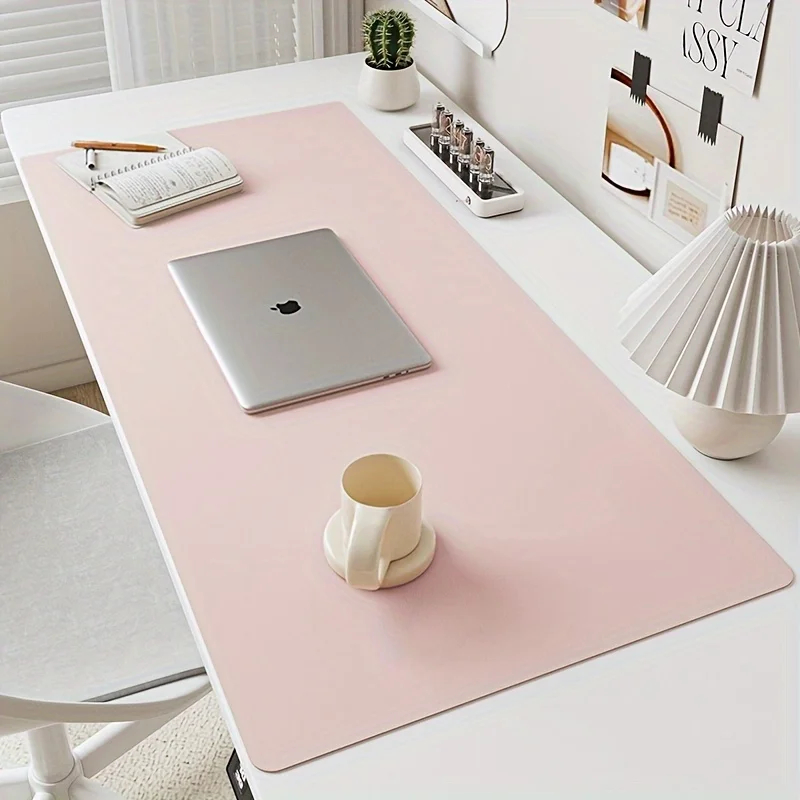
Once the cables are managed, the desk can still read as cluttered - because there is nothing telling your eye where the workspace ends and the pile of stuff begins.

A large mat does that job. It gives the keyboard, mouse and laptop a defined area, and anything outside it reads as "not part of the desk" rather than "more mess".

Last for a reason: this is the only step here that is purely visual. Do it after the cables are actually sorted, or you are just covering the problem with felt.
A large leather and felt desk mat under a keyboard and mouse

The last tidy-desk step nobody mentions

Draw a line under the whole thing.

Check current price
06

Get the power strip off the floor

Every cable on the desk ends at the same place: a power strip lying on the floor, collecting dust, with a bird's nest of adapters and slack cable around it. It is the one thing you cannot hide by tidying the desktop - because it is not on the desktop.

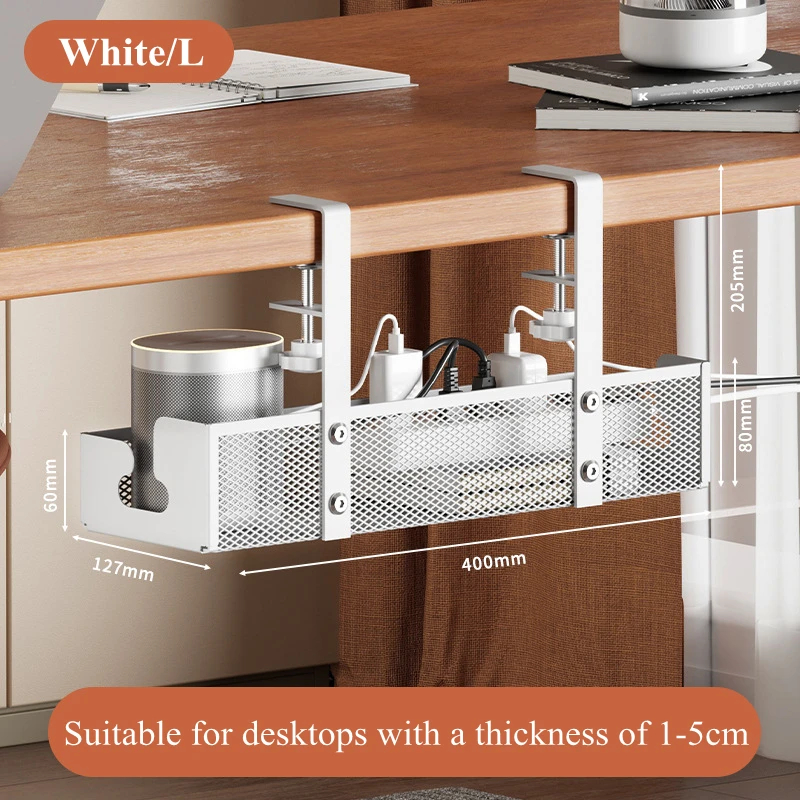
A clamp-on tray under the desk takes the power strip, the excess cable and the chunky laptop brick up and out of sight. The clamps tighten onto the desk edge, so there is no drilling and nothing to patch when you move out. Plug everything in, drop the slack in the basket, done.

The renter's caveat: check your desktop thickness before ordering - most clamp trays fit a 1–5 cm edge. Glass or very thick tops need a different mount.
A white clamp-on under-desk cable tray holding a power strip and cables

No-Drill Under-Desk Cable Tray

Clamps to the desk edge. Hides the power strip.

Check current price
07

Bundle the run that is left

After the hub and the riser, you are down to a handful of cables that all leave the desk in roughly the same direction - and still manage to look like a lot, because each one takes its own route.

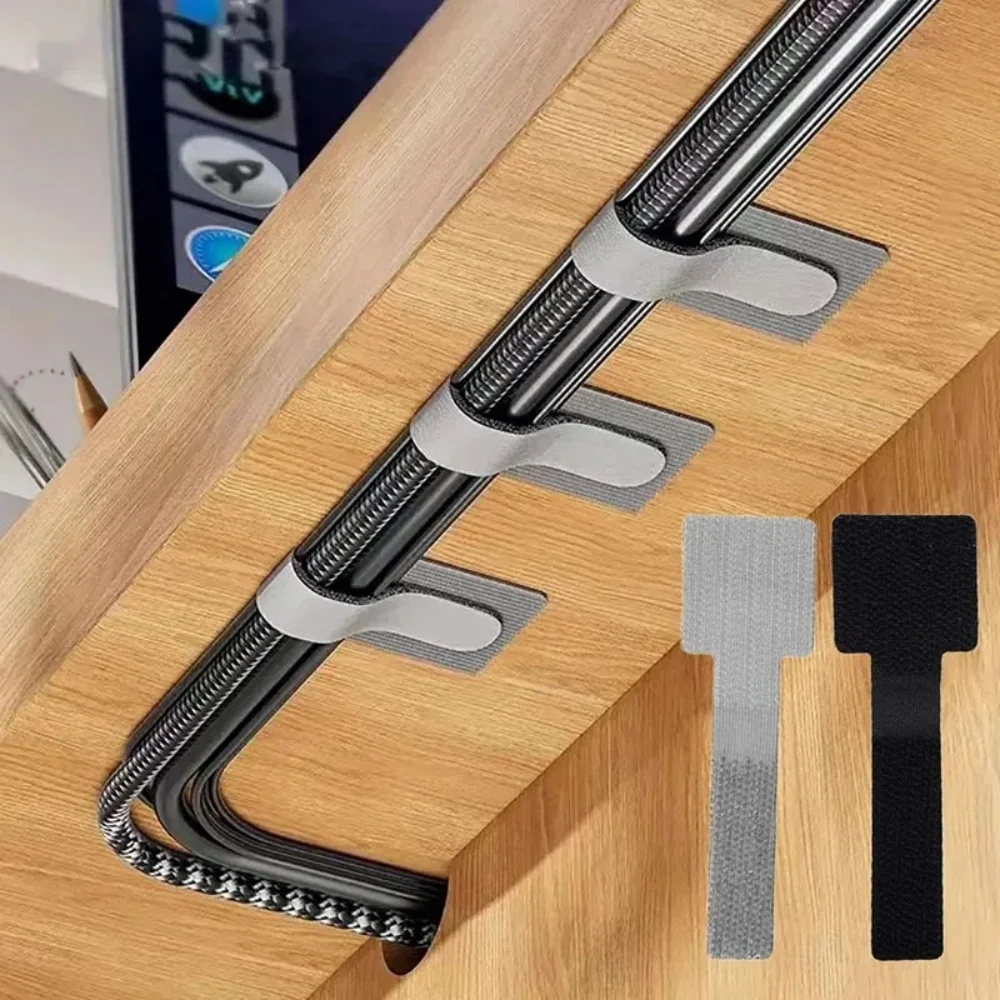
Reusable hook-and-loop ties fix that in about five minutes. Stick three or four along the underside of the desk edge, route every cable through them, and the whole bundle disappears from the seated line of sight. Because they open and close, adding a new cable later is a ten-second job, not a cut-and-redo.

Why not zip ties: zip ties are permanent, they bite into cable jackets, and the day you swap a monitor you are back to square one with a pair of scissors. Velcro costs the same and forgives you.
Adhesive velcro cable ties routing three cables along the underside of a desk

Reusable Velcro Cable Ties (10 pcs)

Self-adhesive. Open and re-close as cables change.

Check current price

If you only do two of these

  1. The clips. Cheapest fix, most repeated annoyance removed. Nothing else on this list gets used as often.
  2. The hub. It is the difference between a desk you can leave in thirty seconds and one you have to dismantle.